📑 Table of Contents
1. Overview 2. Connecting Your Wallet 3. Multi-Send (Batch Transfers) 4. Token Creator 5. Wallet Generator 6. Unit Converter 7. Transaction Decoder 8. Contract Reader 9. FAQ1. Overview
XDC Tools is a comprehensive Web3 toolkit designed for developers and users on the XDC Network. All tools are free to use and run entirely in your browser—no backend servers store your data.
🔧 Available Tools
- Multi-Send — Batch transfers for airdrops & payroll
- Token Creator — Deploy XRC20 tokens without coding
- Wallet Generator — Create secure wallets locally
- Unit Converter — Convert Wei/Gwei/XDC
- TX Decoder — Understand transaction data
- Contract Reader — Read smart contract data
2. Connecting Your Wallet
Most tools require a connected wallet to function. XDC Tools supports:
- MetaMask — Configure with XDC Network RPC
- XDCPay — Native XDC wallet extension
Located in the top-right corner of the page
Allow the site to view your wallet address
Your truncated address appears with a "Connected" badge
3. Multi-Send (Batch Transfers)
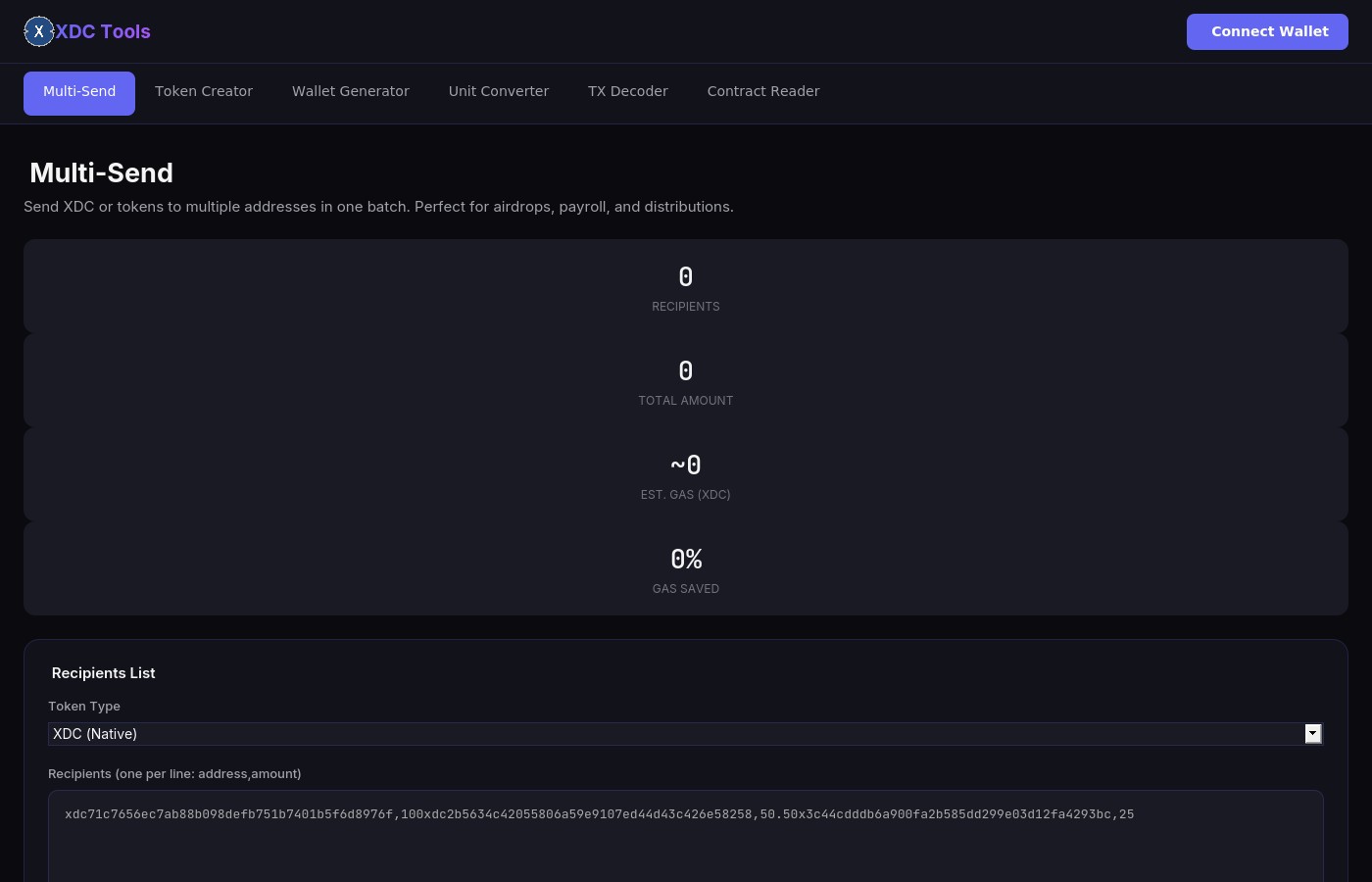
Send XDC or XRC20 tokens to multiple addresses in one session. Perfect for:
- Airdrops to community members
- Payroll payments to employees
- Rewards distribution
- Bulk refunds
Step-by-Step Instructions
Choose "XDC (Native)" or "XRC20 Token" from the dropdown
One per line in format: address,amount
xdc71c7656ec7ab88b098defb751b7401b5f6d8976f,100
xdc2b5634c42055806a59e9107ed44d43c426e58258,50.5
0x3c44cdddb6a900fa2b585dd299e03d12fa4293bc,25Click "Validate" to check all addresses and amounts
Check the preview table, then click "Send Batch Transaction"
4. Token Creator
Deploy your own XRC20 token on XDC Network in under a minute. No coding required.
Token Configuration
- Token Name — Full name (e.g., "My Awesome Token")
- Symbol — Short ticker (e.g., "MAT")
- Decimals — Usually 18 (standard)
- Initial Supply — How many tokens to create
Optional Features
- Mintable — Owner can create more tokens later
- Burnable — Tokens can be permanently destroyed
- Pausable — Owner can pause all transfers (emergency)
Enter name, symbol, decimals, and initial supply
Check boxes for mintable, burnable, or pausable
Click "Deploy Token" and confirm in your wallet
5. Wallet Generator
Generate new XDC wallets securely in your browser. All key generation happens locally—private keys never leave your device.
Features
- Generate 1-100 wallets at once
- Optional vanity prefix (addresses starting with specific characters)
- Export as JSON or CSV
- Click to reveal/hide private keys
Enter how many wallets to generate (1-100)
Enter characters you want addresses to start with (e.g., "abc")
Click Generate, then export as JSON or CSV
6. Unit Converter
Instantly convert between XDC units:
- Wei — Smallest unit (1 XDC = 10¹⁸ Wei)
- Gwei — Used for gas prices
- XDC — Standard transaction unit
Simply enter a value in any field and the others update automatically. Use quick buttons for common values.
7. Transaction Decoder
Decode any XDC transaction into human-readable format. Enter a transaction hash or raw input data to see:
- From/To addresses
- Value transferred
- Gas price and usage
- Function called (transfer, approve, etc.)
8. Contract Reader
Read data from any smart contract on XDC Network. Provide the contract address and ABI to call view functions.
Pre-loaded Templates
- ERC20 — Token contracts (name, symbol, balanceOf)
- ERC721 — NFT contracts (ownerOf, tokenURI)
- Custom — Paste your own ABI
9. FAQ
Is XDC Tools free?
Yes, completely free. You only pay network gas fees for on-chain transactions.
Is it safe?
All operations run in your browser. Private keys are generated locally and never transmitted to any server.
What wallets are supported?
MetaMask and XDCPay. Any Web3 wallet that supports EVM chains should work.
Can I use this on testnet?
Yes! Connect your wallet to XDC Apothem Testnet (Chain ID: 51) and all tools work the same way.